
Blog
Gave a workshop on git and GitHub!
This week, I gave a 2-hour workshop on the basics of using git and GitHub. 9 people attended, and I had a great time walking them through commits, branches and pull requests!
You can find the full workshop materials... on GitHub, and download the presentation slides (in html format, opens in any web browser).
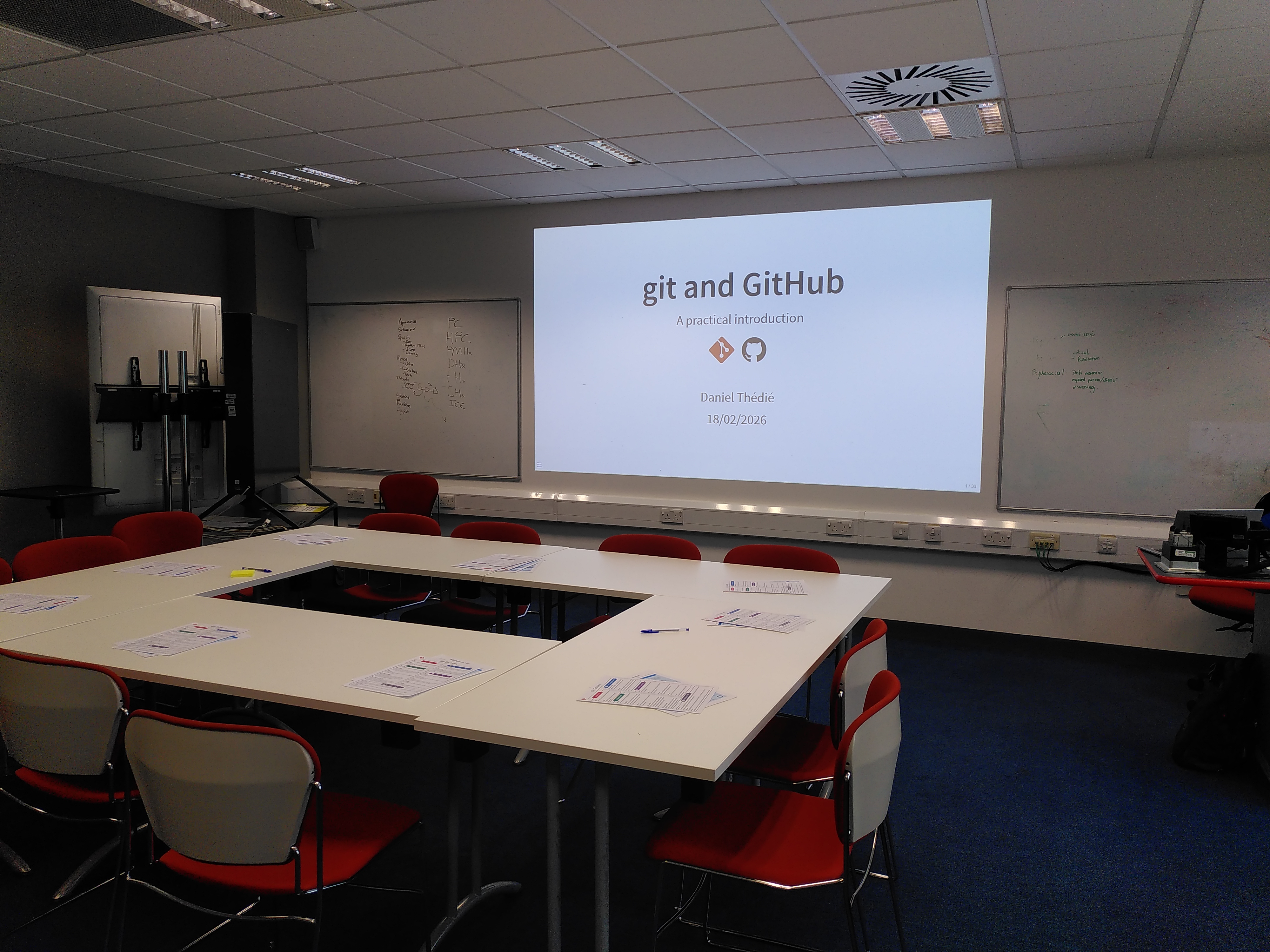
Below are a few thoughts on how I designed the workshop, and how it was received by participants.
A git workshop with no git commands
For this workshop, I made the choice to not include any git terminal commands. This is because I wanted participants to focus on why they do things, rather than on memorising and typing a whole array of terminal commands. What's more, there are plenty of IDEs (Integrated Development Environments) and apps that provide a user-friendly interface to git, and I think they're a great way to get used to the basics: pull, stage, commit, push!
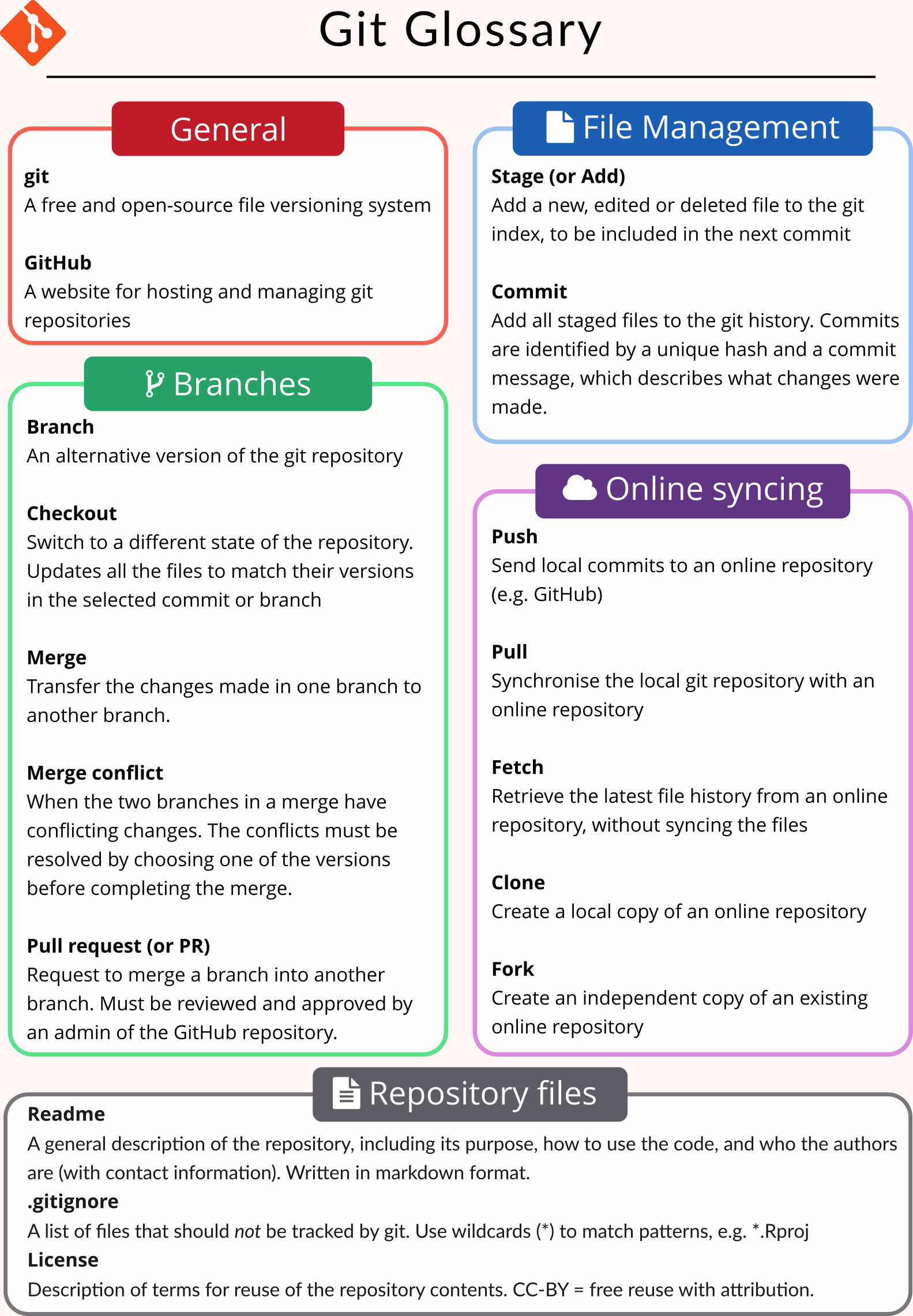
Even when using a GUI, git comes with a whole range of specialised terms that can be offputting for newcomers - staging? Checkout? Clone? Pull request?, so I created my own "git glossary". Again, no terminal commands (those are easily found online), but short definitions of some of the main git terms.
For the practical parts of the workshop, I replaced lists of commands to be entered with screenshots of RStudio (which all participants already used) and GitHub.
I think participants enjoyed the approach, and they showed it in their feedback! One of them wrote:
Good to know why to do things, not just to be told that it is good practice
And another one:
Enjoyed the step by step process
Code modularity makes git more meaningful
Another (maybe?) unusual topic for a git workshop was a section on "code modularity". In this, I explained why it is useful to create functions in code, and to split code between different files. Many researchers create large analysis scripts in a single file with little structure, which makes it hard for collaborators to re-use, and limits the usefulness of git (because any change to the code will affect the same file...). Splitting code in functions and files helps with separation of concerns: parts of the code can be worked on without affecting the others, and the git history will clearly show which files were modified in a given commit. Further down the line, that ensures less merge conflicts, and allows re-using functions in different scripts.
This part of the workshop was particularly well received, and although we did not have much time to work on it, it stoked interest in participants. Several of them mentioned it in their feedback:
[I will] read up on functions + files!
Especially appreciated learning about modularity / creating functions
Will look up functions
I think if the workshop had lasted an extra hour, I would have let participants spend more time on getting to grips with functions, and experimenting on their own code.
Looking forward to next time!
I really enjoyed giving this workshop, and I am glad I had the opportunity to spend some time creating and delivering it. I think the "no commands" approach was successful, and I would definitely use it again in the future. The materials are available online for anyone to re-use, and I would be happy to deliver the workshop again when an occasion arises!